How to Audit and Monitor AI Agents with Verifiable Memory
When an autonomous agent does something unexpected, the first question is always the same: what did it know when it did that? Most teams cannot answer it.
Logs tell you what an agent did. They rarely tell you what it remembered, and they almost never prove that the record has not been edited since. As agents take on work with real consequences, that gap becomes the difference between an agent you can deploy and an agent you can defend.
This guide shows how to make agents auditable and observable with Lighthouse Memory: decision records with CIDs, checkpoints you can replay, and health signals you can alert on.
Three Questions Every Agent Audit Asks
| Question | What you need | Lighthouse Memory primitive |
|---|---|---|
| What did the agent know? | The memories it recalled at decision time | recall() results carry id, cid, score, tags |
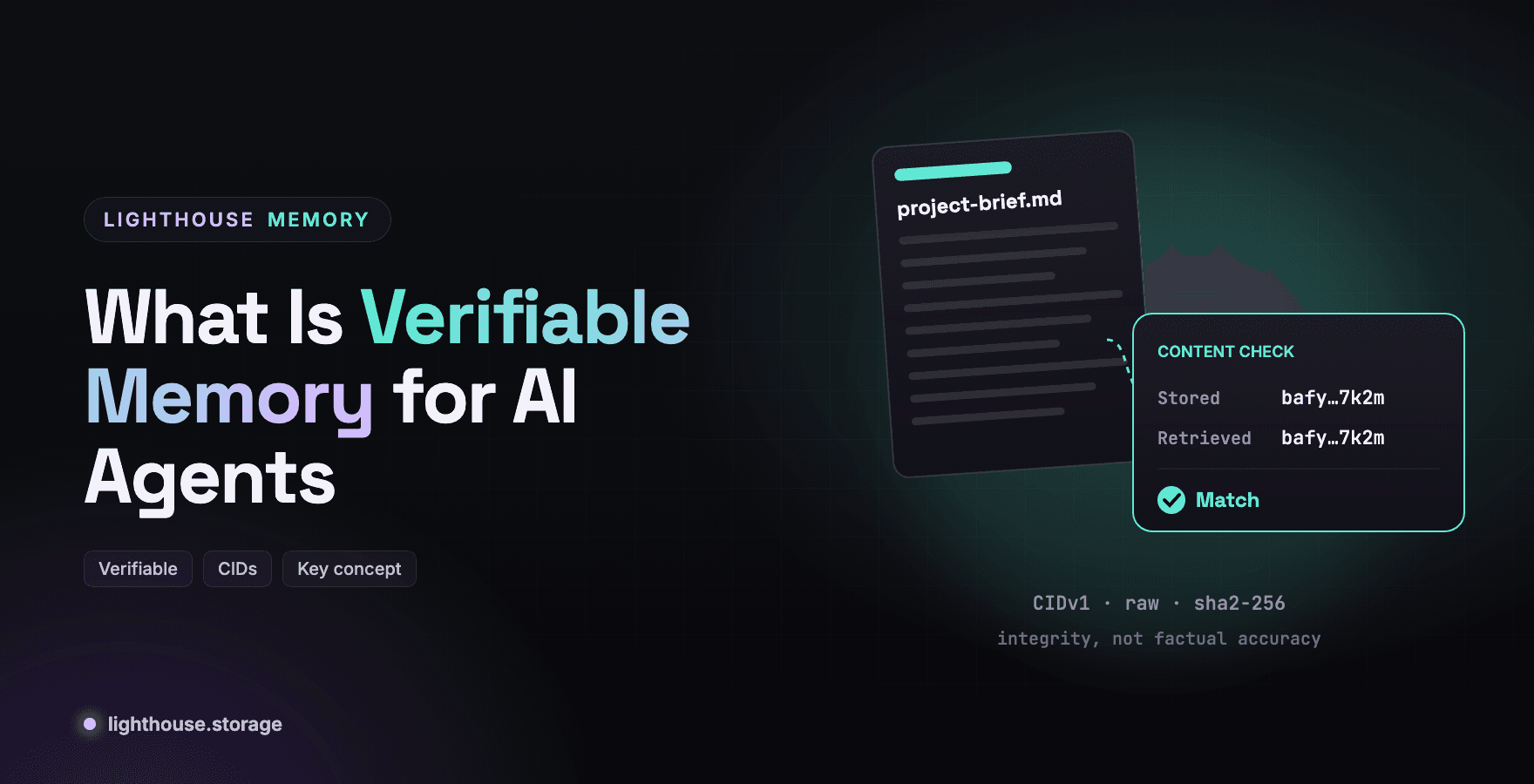
| Has the record been changed? | Tamper evidence | Content addressed CIDs (CIDv1, raw, sha2-256) |
| What did its whole memory look like at a point in time? | A checkpoint of the full index | snapshotIndex() returns one CID for everything |
Plus one operational question: is the agent healthy right now? That is what status() is for.
Step 1: Give Every Agent an Identity and a Namespace
Two fields make audit possible later, and they cost nothing to set now.
namespaceisolates memories per agent or project. Snapshots are namespace checked, so a snapshot from one agent will not load into another.agentis recorded on every memory. When several agents share infrastructure, this is how you attribute a record.
import '@lighthouse-ai/store-lighthouse'
import '@lighthouse-ai/embed-local'
import { createStorage, createEmbedder } from '@lighthouse-ai/core'
import { BatchedEngine } from '@lighthouse-ai/engine-batched'

const storage = await createStorage('lh-ipfs-filecoin', { apiKey: process.env.LIGHTHOUSE_API_KEY })
const memory = new BatchedEngine(storage, {
  namespace: 'claims-agent-prod',
  agent: 'claims-agent@v3.2',
  embedder: await createEmbedder('local'),
  flushEvery: 1, // audit-critical: upload on every write
})
Note flushEvery: 1. By default the batched engine buffers 10 memories before uploading, and pending memories live only on the local machine until flushed. For audit logs, that window matters. Setting flushEvery to 1 uploads every write immediately, at the cost of more requests. On Filecoin, quota tracks real bytes, so this is affordable.
Step 2: Record Decisions as Memories, With Their Inputs
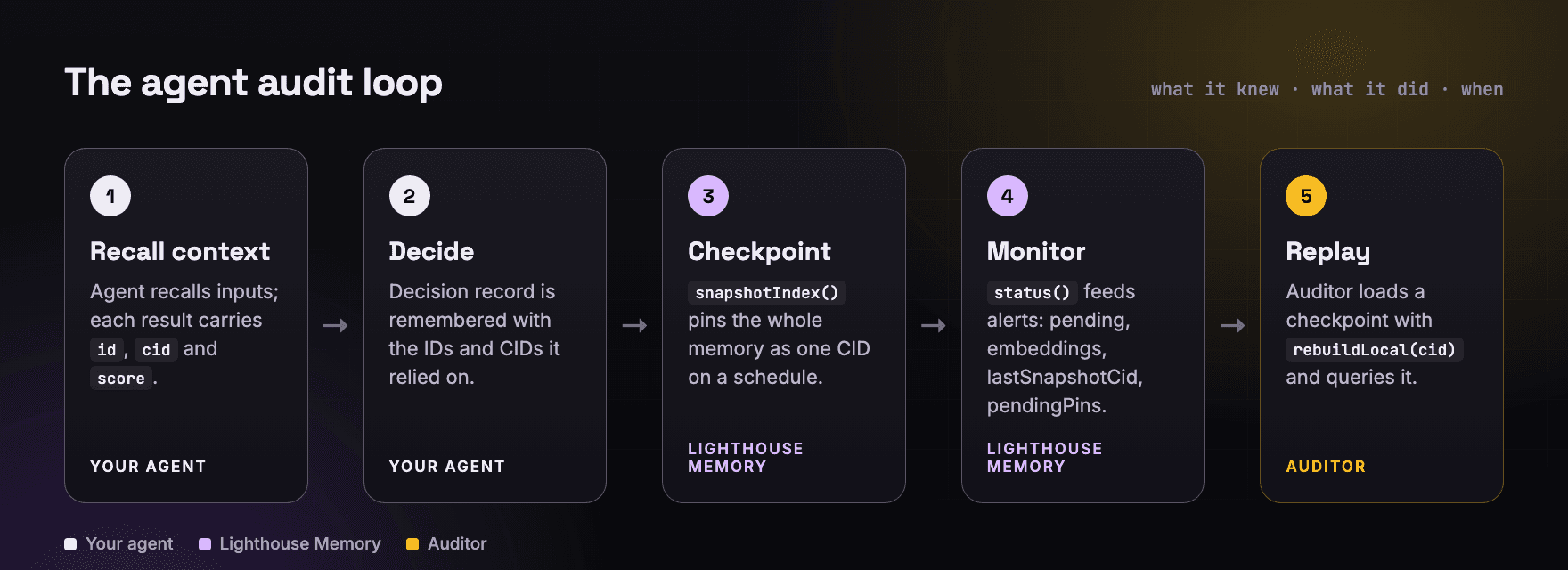
The audit pattern is simple: before the agent acts, it recalls the context it will rely on, then remembers a decision record that references those memories by ID and CID.
async function decide(task) {
  // 1. What the agent knows, with provenance
  const context = await memory.recall(task.question, { tags: ['policy', 'customer'], limit: 5 })

  const decision = await task.model.decide(task, context)

  // 2. The decision record, linked to the exact memories it used
  const record = await memory.remember(
    `Decision on claim ${task.claimId}: ${decision.outcome}. Reason: ${decision.reason}`,
    {
      tags: ['decision', 'claims'],
      metadata: {
        claimId: task.claimId,
        model: task.model.id,
        usedMemories: context.map((m) => ({ id: m.id, cid: m.cid, score: m.score })),
      },
    }
  )
  return { decision, recordId: record.id, recordCid: record.cid }
}
Every recall() result returns its ranking breakdown, score, semanticScore and keywordScore, so an auditor can also see why a memory was retrieved, not just that it was. With the default local embedder, score = 0.7 × cosine + 0.3 × min(1, keywordScore).
Step 3: Checkpoint the Whole Memory With Snapshots
Individual records answer "what did it decide." Snapshots answer "what did its memory look like on March 3rd."
const snap = await memory.snapshotIndex()
// { cid: 'baf…', entries: 1284, gatewayUrl: 'https://…' }
snapshotIndex() pins the entire local index, including pending memories, as one mem-index.<namespace>.json blob. That single CID is a complete, tamper evident checkpoint. Take one on a schedule, before deployments, and after incidents.
To investigate later, load a checkpoint into a clean engine and query it as it was:
const replay = new BatchedEngine(storage, { namespace: 'claims-agent-prod', dataDir: './audit-replay', embedder })
await replay.rebuildLocal(snap.cid)            // { added: 1284, total: 1284 }
await replay.recall('refund policy for water damage', { limit: 5 })
This is time travel for agent memory. You can ask the same question of last month's memory and today's, and compare.
Step 4: Monitor Health With status()
Auditing is after the fact. Monitoring catches problems while they happen. Both engines expose status():
await memory.status()
// batched:
// { engine: 'batched', storage: 'lh-ipfs-filecoin', namespace, agent,
//   memories: 1284, pendingMemories: 0, flushEvery: 1,
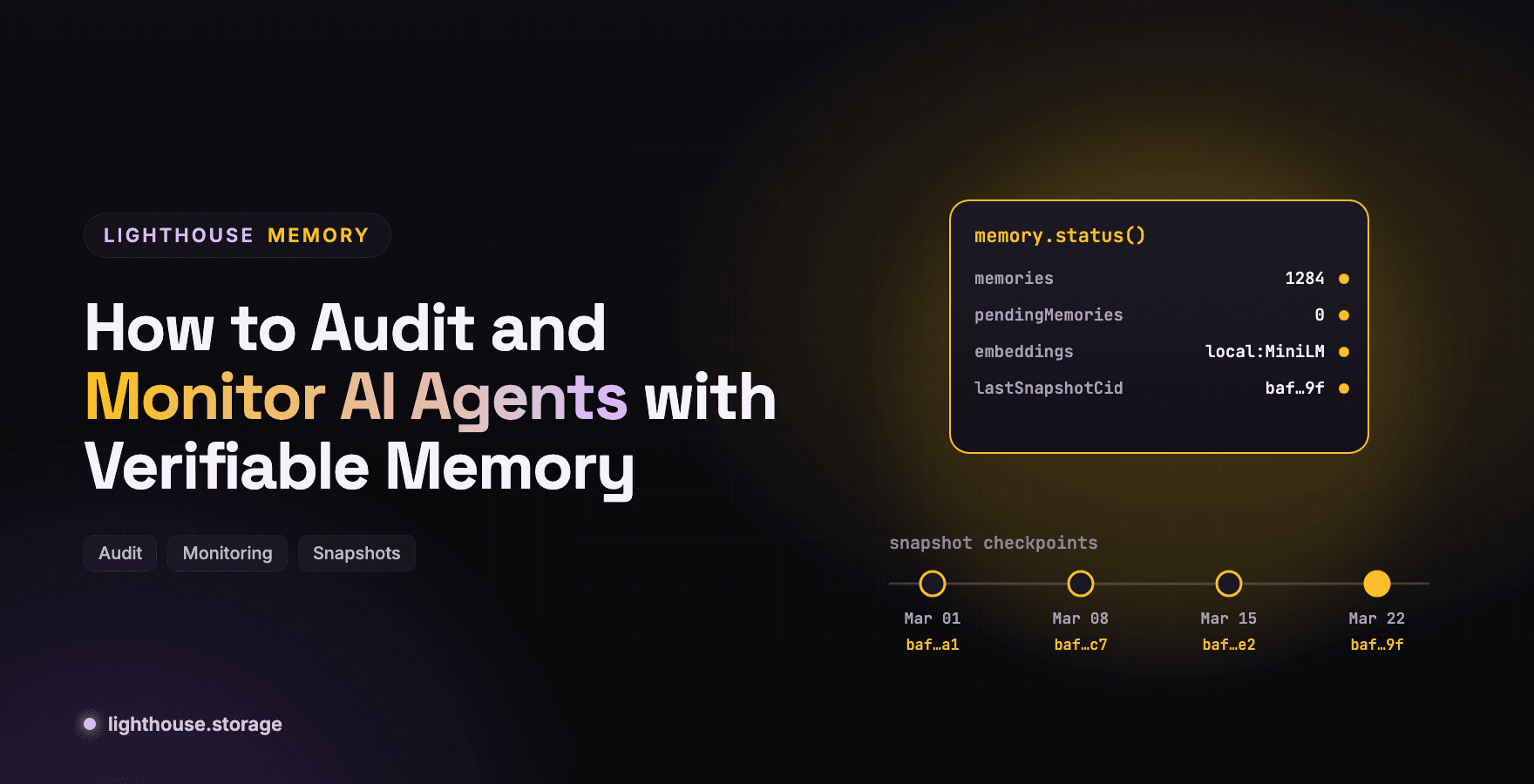
//   embeddings: 'local:Xenova/all-MiniLM-L6-v2', indexPath, lastSnapshotCid: 'baf…' }
| Signal | Engine | What it means | Alert when |
|---|---|---|---|
pendingMemories | batched | Memories not yet on durable storage | Above zero at session end |
embeddings | batched | keyword:off means semantic recall fell back to keyword | Not the expected model |
lastSnapshotCid | batched | Most recent checkpoint | Older than your checkpoint window |
pendingPins | memwal | Records whose IPFS pin failed | Above zero; run repinPending() |
relayer | memwal | Relayer health, ok (v…) or unreachable | Not ok |
The docs recommend the same habits: check pendingMemories before ending a session, pendingPins after writes, and embeddings when recall quality drops. Wire those three into your existing monitoring and you will catch the most common silent failures.
Step 5: Understand What forget() Leaves Behind
Auditors will ask what "deleted" means. Lighthouse Memory's forget() tells the truth per backend:
| Backend | What forget() does |
|---|---|
| Batched, pending | Dropped locally, never uploaded |
| Batched on S3 or local-fs | Hard delete once no other memory references the blob |
| Batched on Lighthouse | Stops renewal; content stays readable until the period expires |
| Memwal | Local copy removed and IPFS mirror unpinned; the encrypted Walrus blob lapses on its own |
For audit, this is a feature: memory on Lighthouse storage cannot be quietly erased the moment something goes wrong. For privacy obligations, it means you should choose the backend deliberately. S3 gives hard deletes; see Composable Memory for AI Agents on S3 R2 and Open Source Models.
Step 6: Anchor Checkpoints Where Others Can See Them
A snapshot CID in your own database is evidence only you control. Publishing it somewhere independent turns it into evidence others can rely on. Two options:
- The pointer service (
@lighthouse-ai/cloud-sync) records the latest snapshot CID per namespace and network. - An onchain registry records every checkpoint CID with a block timestamp. Onchain Agent Memory on Robinhood Chain with Smart Contracts shows the contract.
Frequently Asked Questions
How do you audit an AI agent? Record what the agent recalled and decided as memories with content identifiers, checkpoint its full memory with snapshots, and keep those CIDs somewhere independent so records cannot be altered after the fact.
What is the difference between agent logs and verifiable memory? Logs record events and can be edited by whoever controls them. Verifiable memory gives every record a CID derived from its content, so any change is detectable by anyone.
How do I monitor an AI agent's memory in production?
Poll status() and alert on pending memories at session end, keyword fallback in embeddings, stale lastSnapshotCid, and for memwal, pendingPins or an unhealthy relayer.
Can a deleted agent memory still be audited?
On Lighthouse storage, forget() stops renewal rather than erasing immediately, and snapshot CIDs taken earlier still reference the full index.
Get Started
Start with the foundations in What Is Verifiable Memory for AI Agents.
Stay in Touch
Learn more at the website, docs, or GitHub. Join the community on Discord, X, Telegram, and LinkedIn.